Write & autosave
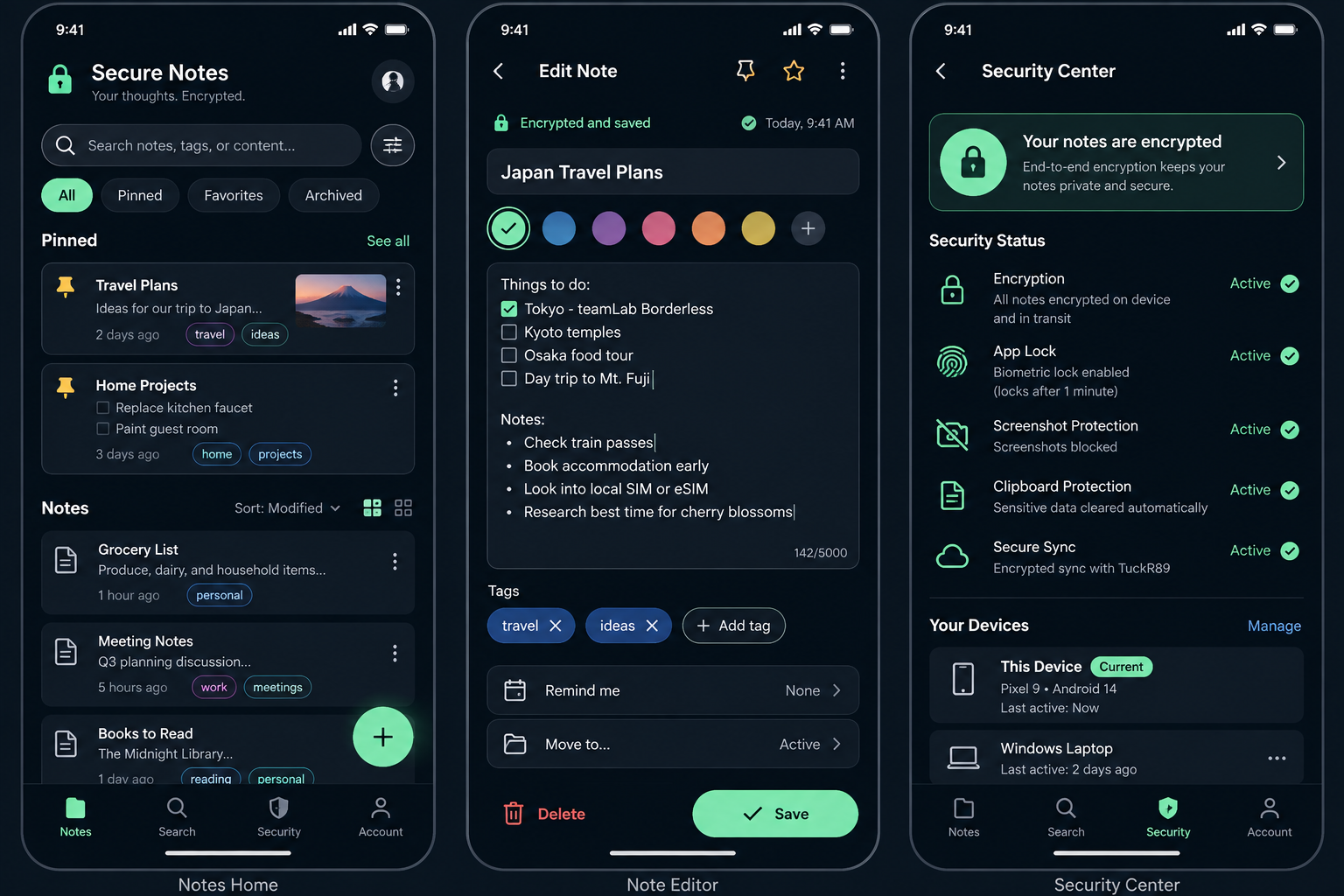
Create and edit notes with automatic saving so your latest changes stay in the encrypted local vault.
Secure Notes gives you a clean place for notes, lists and everyday information with encrypted local storage, fast local search and security controls built in.
Android first. Apple App Store version coming soon. No ads or behavior-tracking analytics in the current V1 app.
Write quickly, organize naturally, and keep important notes protected without turning note-taking into a complicated workflow.
Create and edit notes with automatic saving so your latest changes stay in the encrypted local vault.
Search your notes on the device, with tags and colors to help keep everyday information organized.
Keep important notes close, archive finished items, or move notes to Trash and restore them later.
See app-lock, screenshot-protection and Secure Sync settings in one clear place.
The interface keeps notes, search, security and account controls easy to reach while preserving a clean, low-distraction layout.
Secure Notes uses separate AES-256-GCM encryption boundaries for the local vault and encrypted sync. When Secure Sync is used, note content is encrypted on the device before network transmission.
How Secure Notes protects dataThe V1 sync design does not market new-device or reinstall key recovery as complete. Recovery features remain deferred until a reviewed key-wrapping protocol is implemented.
Secure Notes is being prepared for Google Play. An Apple App Store version is planned and will be announced when ready.
The current V1 app is designed around encrypted note storage and product-scoped account services rather than advertising or behavioral profiling.
Secure Notes uses a six-digit email verification code instead of an account password.
The sync API is designed to receive note identifiers, ciphertext, nonces, versions, revisions and deletion state — not plaintext titles, bodies or tags.
Secure Notes includes an in-app account deletion flow and a public deletion page for support and store compliance.
Yes. A network outage should not prevent reading or editing existing local notes.
No. The current account flow uses a six-digit verification code sent to your email address.
Not as a completed V1 feature. The current E2EE master key is device-held, and new-device/reinstall recovery remains deferred until a reviewed recovery protocol is implemented.
An Apple App Store version is planned. The initial release focus is Android.
Simple note-taking with privacy and security built into the foundation.