Notes that stay organized
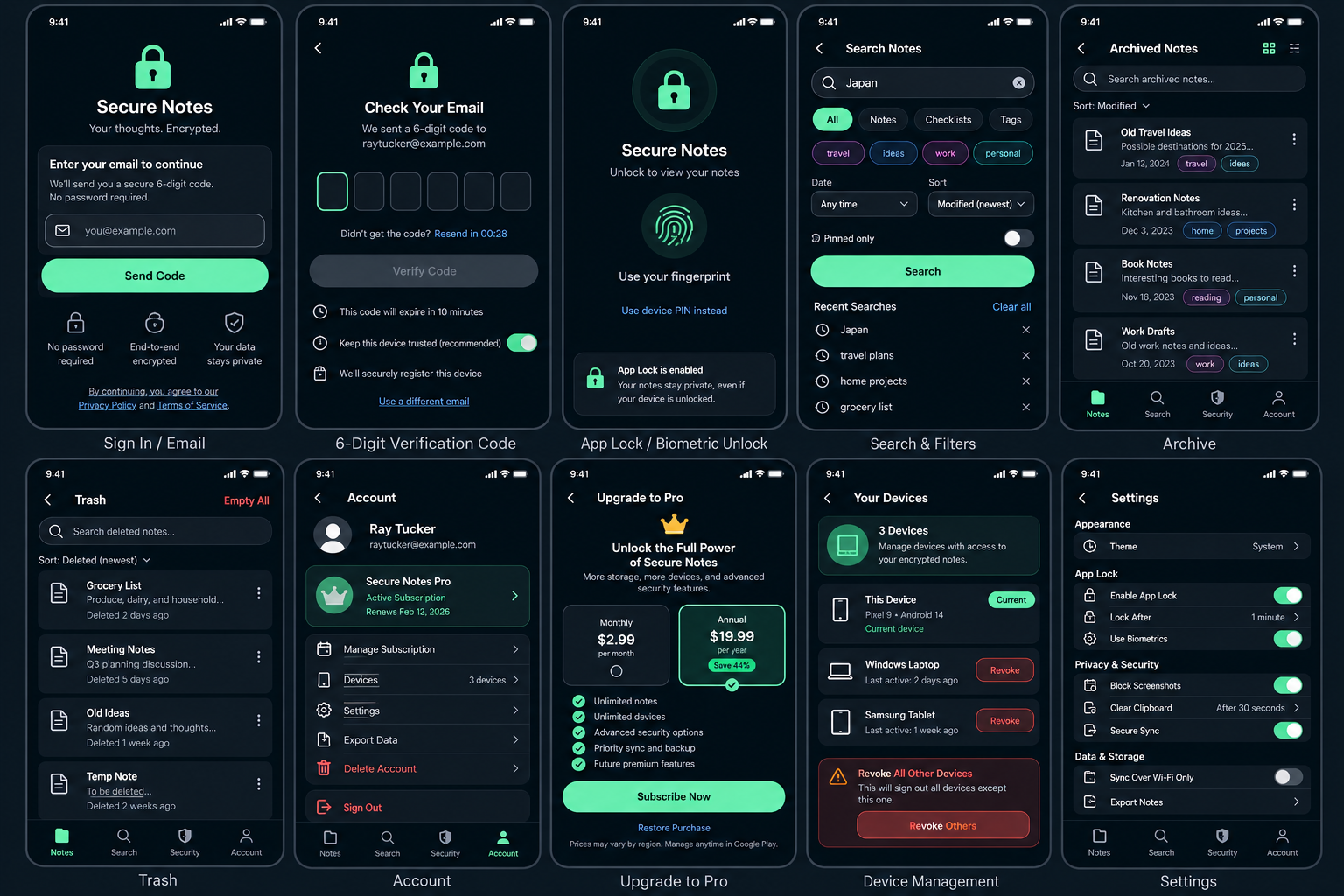
Create and edit notes with autosave. Add checklist-style lines, tags and colors, then pin or favorite what matters most.
Secure Notes V1 focuses on dependable note-taking, local organization and practical security controls.
Create and edit notes with autosave. Add checklist-style lines, tags and colors, then pin or favorite what matters most.
Local search helps you find note content without sending readable note content to an outside search service.
Archive notes you want out of the main view. Move unwanted notes to Trash, restore them when needed, or permanently delete them.
Your saved notes are encrypted on your device and remain available even when you do not have an internet connection.
Use your device PIN, fingerprint or other supported screen-lock method to protect the app. You can also choose how soon the app locks after you leave it.
On Android, Secure Notes can help keep sensitive screens out of screenshots and Recent Apps previews.
Sign in with an email address and a six-digit verification code. Secure Notes does not use account passwords.
When you use Secure Sync, your note content is encrypted on your device before it is sent online.
Use system, light or dark appearance modes.
AI tools, shared editing, calendars, text scanning, document scanning, audio-to-text, attachments, drawing, saving content from websites, and desktop or web versions are not included in V1.